

v2.2.0 (Latest)
LyteNyte Grid 2 Changelog. Track new features, improvements, and the latest changes.
v2.2.0
Official Release Article
Read the press release for in-depth details on the new features.
Release Highlights
General Enhancements
LyteNyte Grid 2.2 ships with updated AI Skills, refined pill drag-and-drop behavior, and general quality improvements.
Core Edition Updates
Introduces grid animations, scroll-flash suppression, and initial viewport dimensions, giving developers more control over how the grid renders, animates, and responds during scrolling.
- Grid Animations: Animate rows and columns as they are added, removed, or repositioned.
- Scroll Flash Suppression: Prevent white flashes during rapid scrolling.
- Added
suppressScrollFlashto keep rendered content visually stable during fast scrolls.
- Added
- Initial Viewport Dimensions: Preload cell content for faster initial page loads.
- Added
viewportInitialWidthandviewportInitialHeightto provide an initial container size before measurement, improving SSR output with meaningful initial grid content.
- Added
- Row Banding: Added “root” as a new
rowAlternateAttrvalue to stripe grouped rows based on the topmost row in each group.
PRO Edition Updates
Introduces Grid Annotations capabilities for rendering custom content in headers, cells, and other grid areas.
- Added annotation support for notes, comments, visual cues, and custom overlays.
- Supports cell comments, cell notes, and marching ants selection indicators.
- Reduces manual positioning logic by anchoring annotations to ranges, headers, or points in the grid.
Breaking Changes
There are no breaking changes for this release.
v2.1.3
- CSS theme code tweaks and improvements. No visible changes.
- Deprecates the
typessubpath export. These types are available on theGridnamespace.
v2.1.2
- Fixed row and column spans overflowing their span boundaries.
- Fixed the
SmartSelect’s basic select variant not closing when the trigger is pressed. - Fixed the
SmartSelect’s basic select text children incorrectly rendering into a React Portal.
v2.1.1
- Updated Pill Manager colors to be more distinct in different themes.
- Fixed row group field calculation for fields that are not strings.
- Fixed type exports in the Core package.json manifest.
- Allow Column Manager to specify a
rowHeightproperty.
v2.1.0
Official Release Article
Read the press release for in-depth details on the new features.
Release Highlights
General Enhancements
LyteNyte Grid 2.1 ships AI Skills, the grid’s first set of AI-enhanced workflows. With Skills, users can go from idea to data grid with a single prompt. Available for both PRO and Core editions.
- Comprehensive AI Skills: Support for AI-enhanced workflows has been integrated into the grid.
Core Edition Updates
Introduces two features previously only available in the PRO edition that will now be moved to the Core edition.
- Cell Range Selection: Now a Core feature and available for free. No migration or changes are required for existing PRO users.
- Clipboard: Now a Core feature and available for free. No migration or changes are required for existing PRO users.
PRO Edition Updates
Introduces expression capabilities that bring cell-level computations, user-defined logic, and advanced filtering directly into the grid.
- Expression Input Component: New UI component for creating expressions.
- Expression Engine: Brings custom, application-specific expression languages to the grid.
- Filters Expressions: Introduces logic-based filtering for complex conditions.
- Expression Plugins: An easy way to extend expressions and custom functions further.
Breaking Changes
There are no breaking changes for this release.
v2.0.3
- Updated Package README files.
- Internal code improvements.
v2.0.2
- Fixed Smart Select not displaying selection list when open.
- Fixed Column Manager not correctly rendering split column groups.
- Fixed multi range selection deselecting a larger selection rectangle when only a single cell is deselected.
v2.0.1
- Published package README changes.
v2.0.0
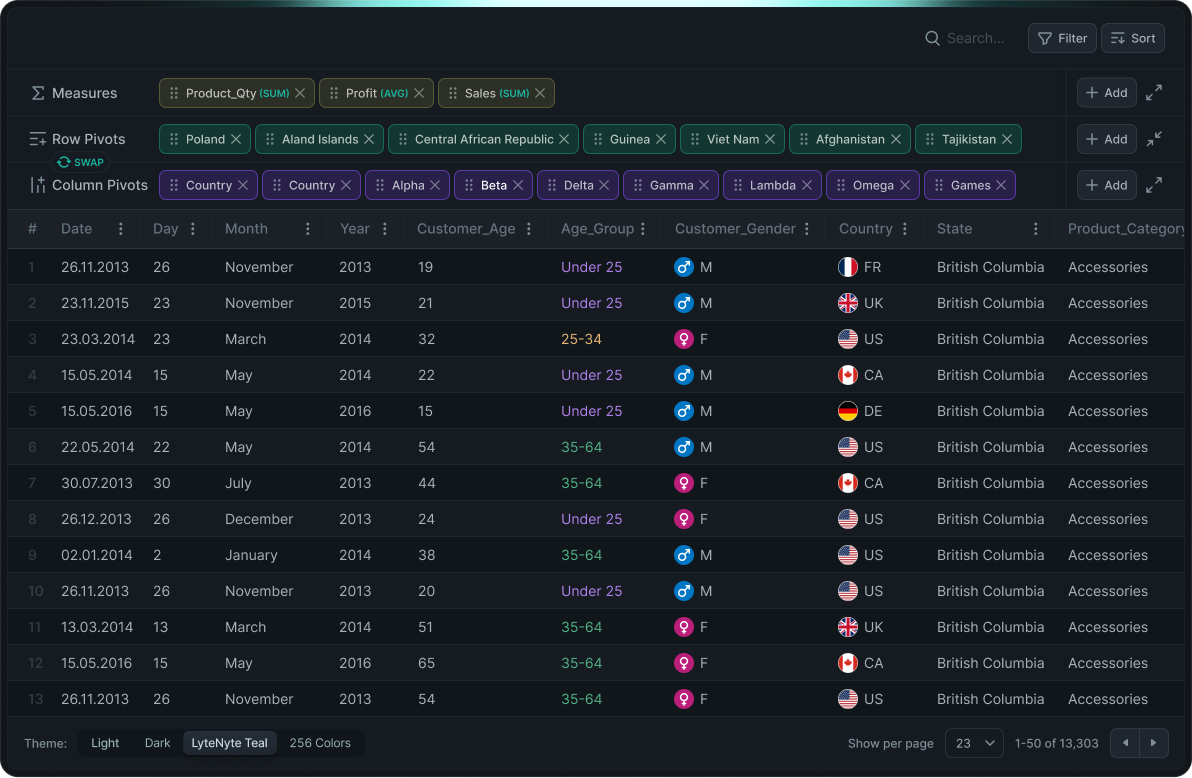
LyteNyte Grid v2 improves on v1 in almost every aspect. The primary focus of this release is the grid’s developer experience. LyteNyte Grid is designed to fit your application, not force your application to fit the grid.
v2 is smaller, faster, more lightweight, and more capable than v1. It achieves these improvements in three key ways:
- Removal of the
useLyteNytehook in favor of a completely prop-driven grid. - Introduction of API and column extensions.
- A predefined headless configuration.
In addition, v2 includes many minor and quality-of-life improvements, along with significant enhancements to existing features.
New Grid Features
- Use the
cellSelectionExcludeMarkergrid property to prevent selection of the marker column. - Use the
cellSelectionMaintainOnNonCellPositiongrid property to prevent clearing cell selection when focus moves to a non-grid element. - The
columnMoveDragPlaceholderandcolumnGroupMoveDragPlaceholderproperties allow you to specify a custom drag indicator when moving columns or column groups. - The
columnGroupRendererproperty allows you to provide a custom React component to render column groups. - Use the
eventsproperty to define event handlers for any standard HTML event on any part of the grid, such as cells, rows, or headers. Event handlers receive additional contextual information. - Use the
stylesproperty to apply inline styles and classes to grid elements. - Use the
rowAlternateAttrproperty to disable the row-alternating data attribute. - Use the
rowDropAcceptproperty to allow rows from other grids to be dragged into the current grid. - Use the
refproperty to obtain a reference to the grid API. - Use the
slotShadowsproperty to render the new Viewport Shadows component. - Use the
slotViewportOverlayandslotRowsOverlayproperties to render custom overlay components. editModenow supports full row editing.- The
onColumnMoveOutsideevent detects when a column is dragged outside the grid. - Pivot mode now supports a Grand Totals row.
- Pivot columns can now be processed and alternated before the grid renders them.
- Column Groups can now be used to resize all columns under the group if the child columns are resizable.
- The
pivotModelnow supports label filtering. - You can now apply label filters to the client row source.
- You can now apply having filters (post-grouping filters) to the client row source.
- All grid row sources now directly support adding and deleting rows.
- Client row groups can now be flattened when a group has a single leaf child.
- Row selection now supports two modes:
- Isolated row selection, where each row maintains its own selection state.
- Linked row selection, where a row group’s selection state links to the selection state of its children.
- You can now exclude individual rows from the set of selectable rows.
- The client row source can now suppress automatic expansion to the leaf row.
- The client row source now supports unbalanced row groups with varying levels of depth. This capability replaces the existing tree data source and satisfies both use cases.
- The tree data source now accepts object-based data instead of array-based data.
- Render arbitrary objects.
- Edit object data.
- Build advanced tree views.
- New components and utilities:
- A headless
SelectAllcomponent for selecting or deselecting all rows. - A
RowGroupCellcomponent for managing row group expansion. - A simple
TreeViewcomponent that renders a specially configured version of LyteNyte Grid. - A
SmartSelectcomponent that you can use as a custom dropdown, combobox, or multi-combobox. - A
Dialogcomponent for grid-specific dialogs or general application dialogs. - A
Popovercomponent for grid features or general popover usage. - A
Menucomponent for general-purpose dropdown menus.
- A headless
Grid Property Changes
- The
cellSelectionExcludeMarkerproperty has been added. This property prevents marker column selection. - The
onCellSelectionChangeproperty has been added. This property handles cell selection updates. - The
colScanDistanceproperty has been removed. The grid now determines the appropriate scan distance automatically. - The
rowFullWidthPredicateandrowFullWidthRendererparameters now receive the grid API instead of the grid state object. - The
sortModel,filterModel,filterInModel,rowGroupModel, andaggModelproperties have been removed. These models now live on the grid’s row data sources. You can now define custom models. - The
rowGroupColumnproperty now acceptsfalseto disable it. TherowGroupDisplayModeproperty has been removed. - The
rowGroupDefaultExpansionandrowGroupExpansionproperties now live on the row data source. - The
cellRenderers,floatingCellRenderers,headerCellRenderers, andeditRenderersproperties have been removed. These properties are no longer required. rowSelectionActivatornow uses"single-click"instead of"single".- The
rowDetailRenderernow receives the grid API instead of the grid state object. - The
editCellModeproperty has been renamed toeditMode. - The
editRowValidatorFnnow receives the updated edit parameters. - The
columnMarkerEnabledproperty has been removed. Enable the marker column through the marker column definition. - The
rowDataSourceproperty has been renamed torowSource. - The
rowSelectedIdsproperty has been removed. The row data source now manages row selection. - The
rowSelectChildrenproperty has been removed. Use linked row selection instead. - The
quickSearchandquickSearchSensitivityproperties have been removed. Define quick search at the row source level. - The
columnPivotModeandcolumnPivotModelproperties have been removed. Handle column pivoting at the row source level. - The
dialogFramesandpopoverFramesproperties have been removed. You can now trigger dialogs and popovers without these properties.
Column Property Changes
- The
headerRenderer,cellRenderer,floatingCellRenderer, andeditRendererproperties no longer accept astringvalue for a pre-registered renderer. Resolve the renderer before providing the column definitions to the grid. - The
quickSearchIgnoreproperty has been removed. Quick search is now opt-in. - The
uiHintsproperty has been removed. Column extensions now replace this functionality. - The
resizableproperty has been added. It indicates whether the column can be resized. - The
movableproperty has been added. It indicates whether the column can be moved. - The
editOnPrintableproperty has been added. It determines whether a cell edit begins when a printable character is pressed. - The
editMutateCommitproperty has been added. This callback function mutates edit data before the grid updates the row.
All function parameter types on the Column type now reflect the updated grid API and Column extension system introduced in v2.
- The
colSpanandrowSpanfunctions now receiveapi,column,row,rowIndex, andcolIndex. Thegridparameter has been removed. - The
fieldfunction now receivesrowdata to compute the value. Thegrid,column, anddataparameters have been removed. These parameters are not required in v2 and are not available in every execution context. - The
headerRendererfunction now receivesapiandcolumn. Thegridparameter has been removed. - The
cellRendererfunction now receivesapi,column,rowIndex,colIndex,selected,indeterminate,detailExpanded,editData, andlayout. Thegrid,rowSelected,rowPin, androwIndeterminateparameters have been removed. - The
editRendererfunction now receivesapi,row,column,rowIndex,colIndex,editValue,changeValue,editData,editValidation,changeData,commit,cancel, andlayout. Thegridparameter has been removed. - The
editablefunction now receivesapiinstead ofgrid. - The
editSetterparameters have been reworked to provide data change types and the grid API instead of the grid state object.
API Property Changes
- The
cellSelectionmethod has been added to retrieve the current grid selection state. - The
xPosition$andyPosition$properties have been added to provide reactive access to the grid’s coordinate positions. - The
viewport$property has been added to provide reactive access to the grid’s viewport state. - The
columnViewmethod has been added to retrieve a description of the currently visible columns. - The
rowDetailIsExpandedproperty has been renamed torowDetailExpanded. - The
rowDetailRenderedHeightproperty has been renamed torowDetailHeight. - The
rowIsAggregatedmethod has been added to determine whether a row is aggregated. - The
rowGroupIsExpandedmethod has been renamed torowIsExpanded. - The
rowIsExpandablemethod has been added to determine whether a row can be expanded. - The
rowViewmethod has been added to retrieve a description of the current row view. - The
exportDataRectmethod has been renamed toexportData. - The
editUpdatemethod has been split into two focused methods:editUpdateRowsandeditUpdateCell. - The
useRowDraghook now provides streamlined drag parameters. - The
columnIndexmethod has been removed. Use thecolumnViewmethod instead. - The
sortForColumnmethod has been removed. A column’s sort index now derives from the defined sort model. - The
rowGroupColumnIndexmethod has been removed. The grid now creates only a single row group column. - The
rowGroupApplyExpansionsmethod has been removed. The grid no longer requires this method. - The
eventAddListeners,eventRemoveListener, andeventFiremethods have been removed. LyteNyte Grid no longer maintains a custom event system. - The
exportCsvandexportCsvFilemethods have been removed. Use the more flexibleexportDatamethod instead. - The
dialogFrameOpen,dialogFrameClose,popoverFrameOpen, andpopoverFrameClosemethods have been removed. The grid no longer manages dialog or popover state. - The
rowSelectmethod can now select all rows. TherowSelectAllmethod has been removed.
LyteNyte Grid now extends the Grid API with additional methods and properties based on the provided row source. The following properties from v1 have changed or are now supplied by the row source:
rowByIdis now provided by the row source.rowByIndexis now provided by the row source.
Client Row Source Changes
The useClientRowDataSource hook has been renamed to useClientDataSource. The
useClientRowDataSourcePaginated hook has been removed. You can use useClientDataSource
for paginated client data, but this approach is not recommended. When all data exists
on the client, pagination introduces unnecessary complexity and is generally an anti-pattern.
The useClientDataSource hook now treats the row source as a derived value based on
the provided properties. As a result, the hook behaves like useMemo rather than useState.
bottomDatahas been renamed tobotData.reflectDatahas been removed. This property is no longer required.rowIdLeafhas been renamed toleafIdFn.rowIdBranchhas been renamed togroupIdFn.transformInFilterItemhas been removed. The client source no longer owns the data, and filter items can now be derived directly from the data.
The client row source is now responsible for:
- Column pivoting and pivot mode.
- Managing row group expansion state.
- Sorting, filtering, and aggregating row nodes.
- Managing row selection state.
- Creating, updating, and deleting rows.
In v1, the grid managed these responsibilities and indirectly delegated them to the client source. This design required the grid to initialize before you could safely use client source state.
In v2, the grid removes this indirection. The client source is immediately usable, regardless of whether the grid has mounted.
Server Row Source Changes
The useServerDataSource hook is more capable in v2 while maintaining the same level of simplicity as v1.
dataFetcherhas been renamed toqueryFn. The grid no longer passes built-in data models to this function. You can now define and manage your own custom models.dataFetchExternalshas been renamed toqueryKey. ThequeryKeyproperty is now strongly typed through a generic parameter.dataColumnPivotFetcherhas been removed. Fetch pivot columns directly inside your query handler.dataInFilterItemFetcherhas been removed. Fetch filter items directly inside your query handler.cellUpdatehas been renamed toonRowDataChangeto keep prop names consistent across row data sources.cellUpdateOptimisticallyhas been renamed torowUpdateOptimistically.
The server data source now also manages:
- Row group expansion state.
- Row selection state.
The server data source can now:
- Delete rows.
- Add rows.
Tree Row Source Changes
The tree data source from v1 has been removed. Use the client data source as a replacement.
v2 introduces a new, more advanced tree data source designed specifically for object-based data. Because this implementation is entirely new, there is no direct migration path or property mapping from v1.
See the Tree Overview guide for more details.
Components Changes
The SortManager and ListBox components have been removed. You can recreate their
functionality using the new components provided by LyteNyte Grid.
The PillManager component replaces the ListBox component.
PillManager supports reordering and activating pill items.
The ColumnManager component has been simplified and is now more
opinionated in its behavior. You can use it as a drop-in column manager. For more flexible and configurable tree
structures, use the new TreeView component available in LyteNyte Grid.
Theme Token Changes
LyteNyte Grid v2 introduces more clearly defined theme tokens while preserving the existing color palette. The theme CSS is now split into separate files.
See the Grid Theming guide for more details.
Migration from v1.x
This section provides a high-level overview of migrating from v1 to v2 of LyteNyte Grid. If you have questions, open an issue on GitHub.
There are two primary changes required to migrate to v2:
-
Render the default grid instead of composing the grid from headless parts.
Replace this v1 code:
<Grid.Root grid={grid}><Grid.Viewport><Grid.Header>{view.header.layout.map((row, i) => {return (<Grid.HeaderRow key={i} headerRowIndex={i}>{row.map((c) => {if (c.kind === "group") return null;return <Grid.HeaderCell key={c.id} cell={c} />;})}</Grid.HeaderRow>);})}</Grid.Header><Grid.RowsContainer><Grid.RowsCenter>{view.rows.center.map((row) => {if (row.kind === "full-width") return null;return (<Grid.Row row={row} key={row.id}>{row.cells.map((c) => {return <Grid.Cell key={c.id} cell={c} />;})}</Grid.Row>);})}</Grid.RowsCenter></Grid.RowsContainer></Grid.Viewport></Grid.Root>With this v2 code:
<Grid />If you need access to the internal grid parts, see the Headless Component Parts guide.
Note
If your only customizations involved attaching event listeners or applying styles, set the
stylesandeventsprops on theGridcomponent instead of breaking the grid into headless parts. -
Remove the
useLyteNytehook (and the corresponding call touseView). Pass props directly to theGridcomponent.Instead of:
const grid = Grid.useLyteNyte({gridId: useId(),rowDataSource: ds,columns,editCellMode: "cell",columnBase: {editable: true,widthFlex: 1,},});Use:
<Grid rowSource={ds} editMode="cell" columnBase={{ editable: true, widthFlex: 1 }} />The
gridIdproperty is no longer required.
The steps above cover the primary migration changes. Review the changelog for property renames and removals. TypeScript should surface most required updates.
Remove Effect Code
v2 is fully prop-driven. Remove any synchronization logic that mutates grid state through useEffect.
For example:
const rowHeightParam = useRowHeightParam();
const grid = useLyteNyte({ rowHeight: rowHeightParam });
useEffect(() => { grid.state.rowHeight.set(rowHeightParam);}, [grid, rowHeightParam]);
return <Grid.Root grid={grid}>{/* ... */}</Grid.Root>;Replace it with:
const rowHeightParam = useRowHeightParam();
return <Grid rowHeight={rowHeightParam} />;Replacing the Predefined Models
In v1, LyteNyte Grid predefined filter, sort, and group models. In v2, your code defines these models dynamically.
See the following guides for the updated approach: